
Web scraping in Dify, with the Zenrows plugin
The official Zenrows plugin for Dify adds Fetch, Extract and Batch to the tool picker, so your workflows and agents read the real page instead of a block page.



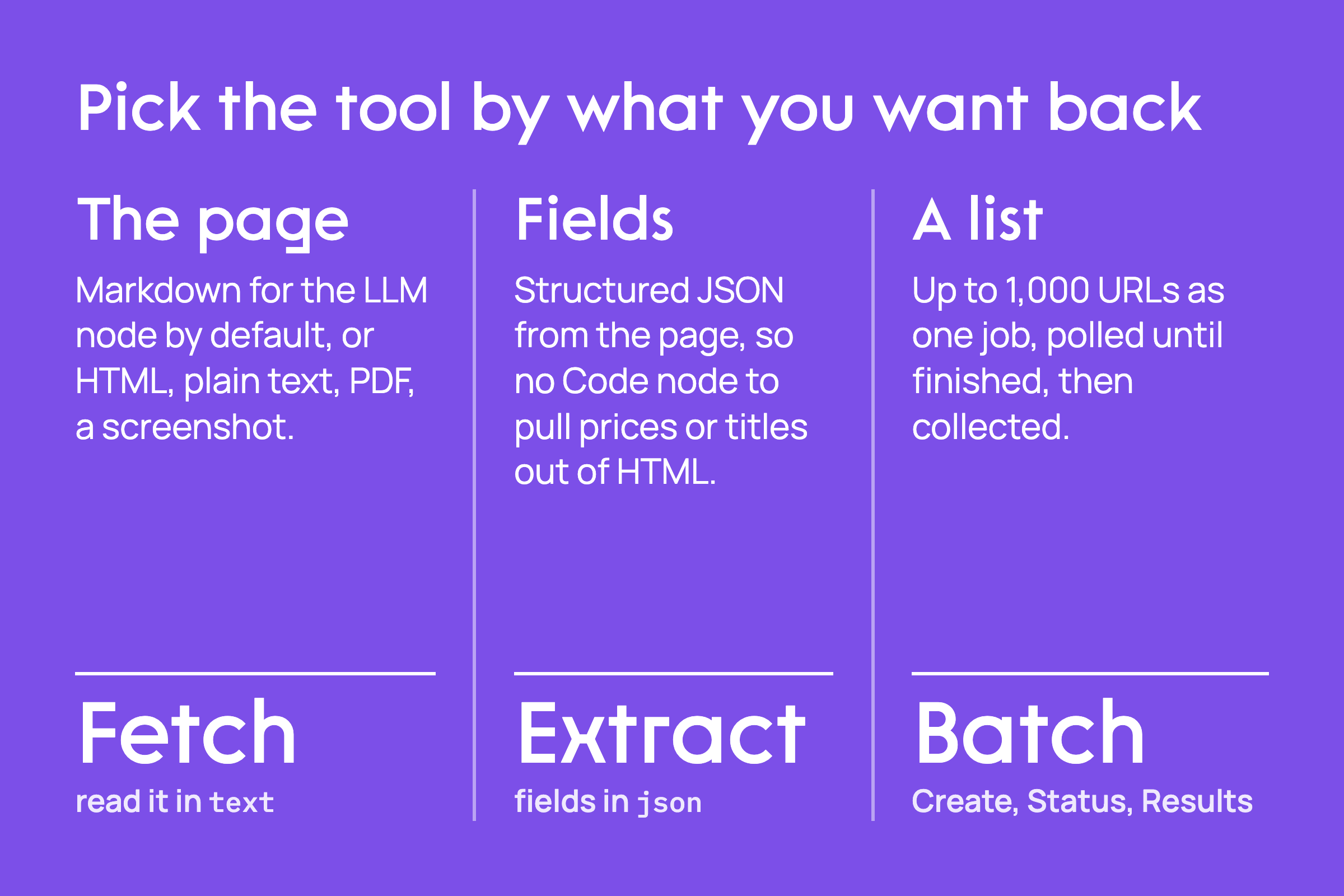
You build a Dify workflow that takes a URL, pulls the page with an HTTP Request node and hands it to an LLM node for a summary. On a documentation site it works. On a store behind Cloudflare it also "works": the run goes green, and the summary describes a page titled "Just a moment...". The LLM did its job. It just read the challenge page instead of the one you asked for.
The official Zenrows plugin for Dify fixes the input, not the prompt. It is on the Dify Marketplace, verified by Dify, and the source is MIT-licensed on GitHub.
What the Zenrows plugin for Dify does
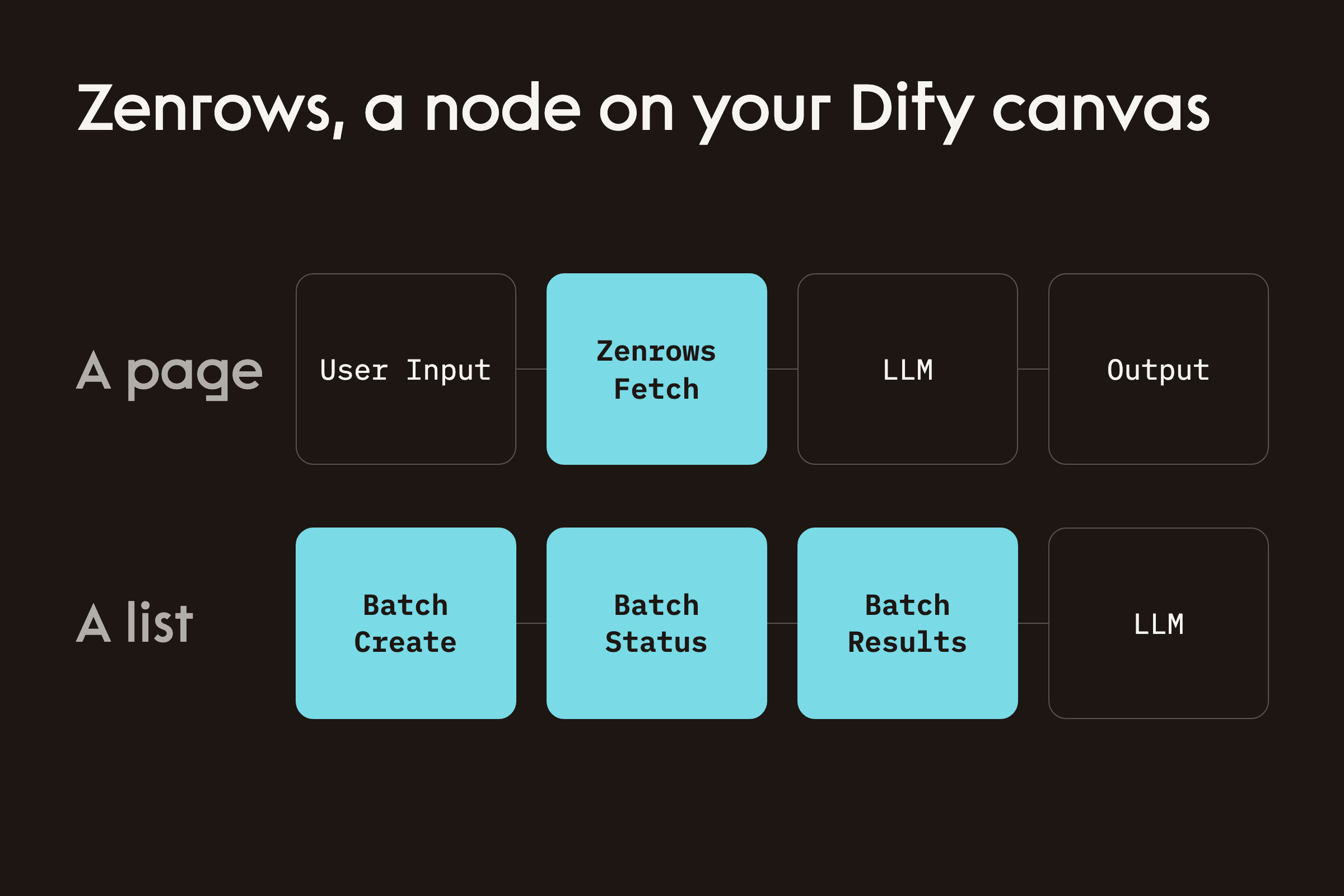
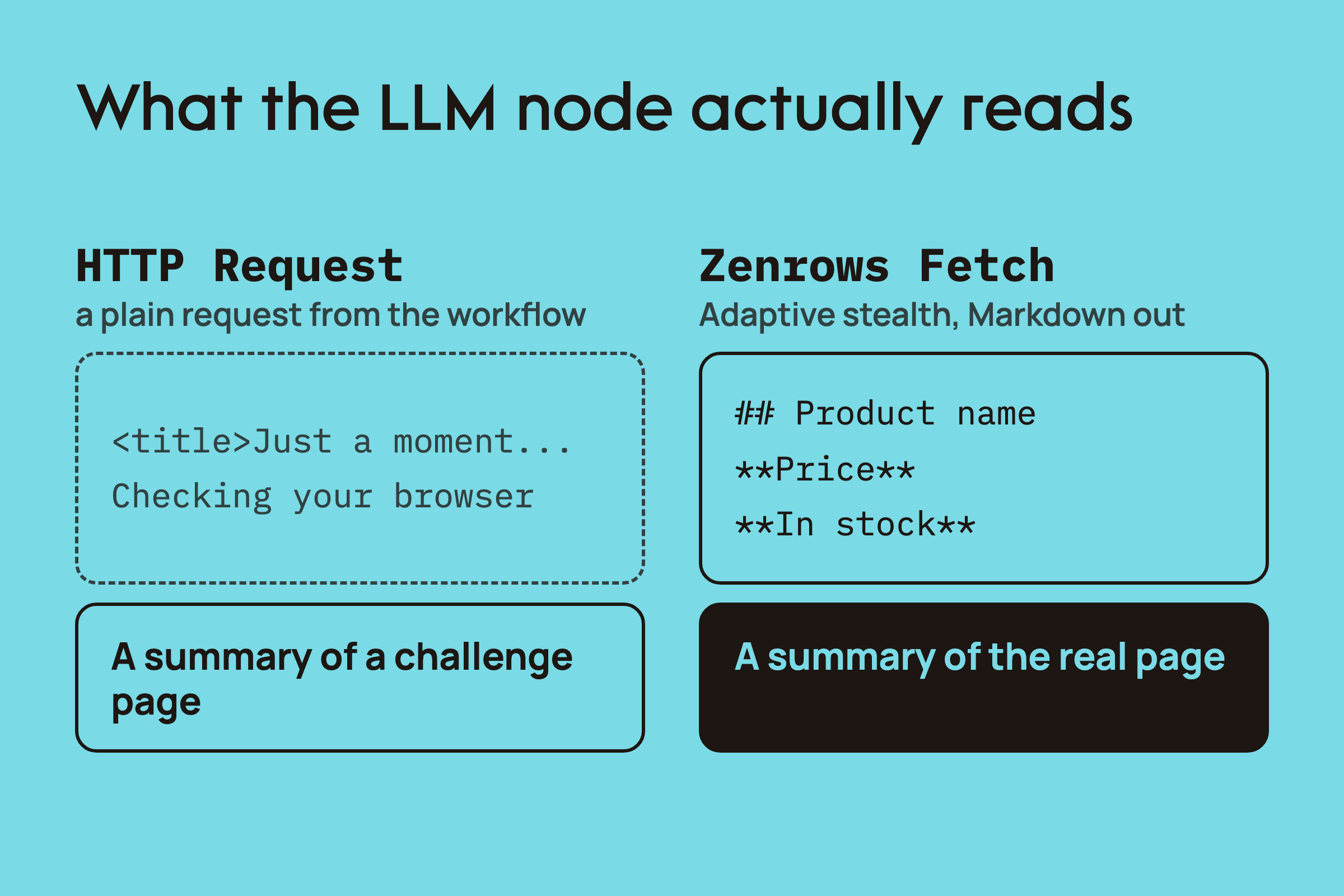
The plugin adds five tools to the Dify tool picker under the Zenrows provider. There is no custom code, no API schema to import and no HTTP Request node to configure. Fetch returns a page as Markdown, Extract returns fields from a page as JSON, and the Batch tools run a list of URLs as one job. They work in workflows, chatflows and agents, on Dify Cloud or a self-hosted Dify.
| Tool | What it does |
|---|---|
| Fetch | One page as Markdown, HTML, plain text or PDF, or a screenshot |
| Extract | Structured JSON from a page, no parsing code |
| Batch Create | Submits 1 to 1,000 URLs as one asynchronous job |
| Batch Status | Progress, failed tasks and their reasons, credits spent |
| Batch Results | The scraped content of a finished job, up to 200 results per call |
The rule of thumb from the docs: use Fetch when you want the page, Extract when you want fields from the page, and Batch when you have more URLs than one request should carry.
Why the LLM node needs the real page
Fetch and Extract have Adaptive stealth on by default. Zenrows starts with a plain request and escalates to JavaScript rendering or Premium Proxies only when the target needs them, so most protected pages work with the node left at its defaults. The page comes back as clean Markdown, which costs the LLM node far fewer tokens than raw HTML.
Build a workflow that summarizes any page
Install the plugin from the marketplace (the Dify integration docs cover every step with screenshots), then open Integrations, Tools, Tool Plugin, click Zenrows and add your API key. Dify validates the key with Zenrows before saving it, and that check costs no credits. Then build four nodes:
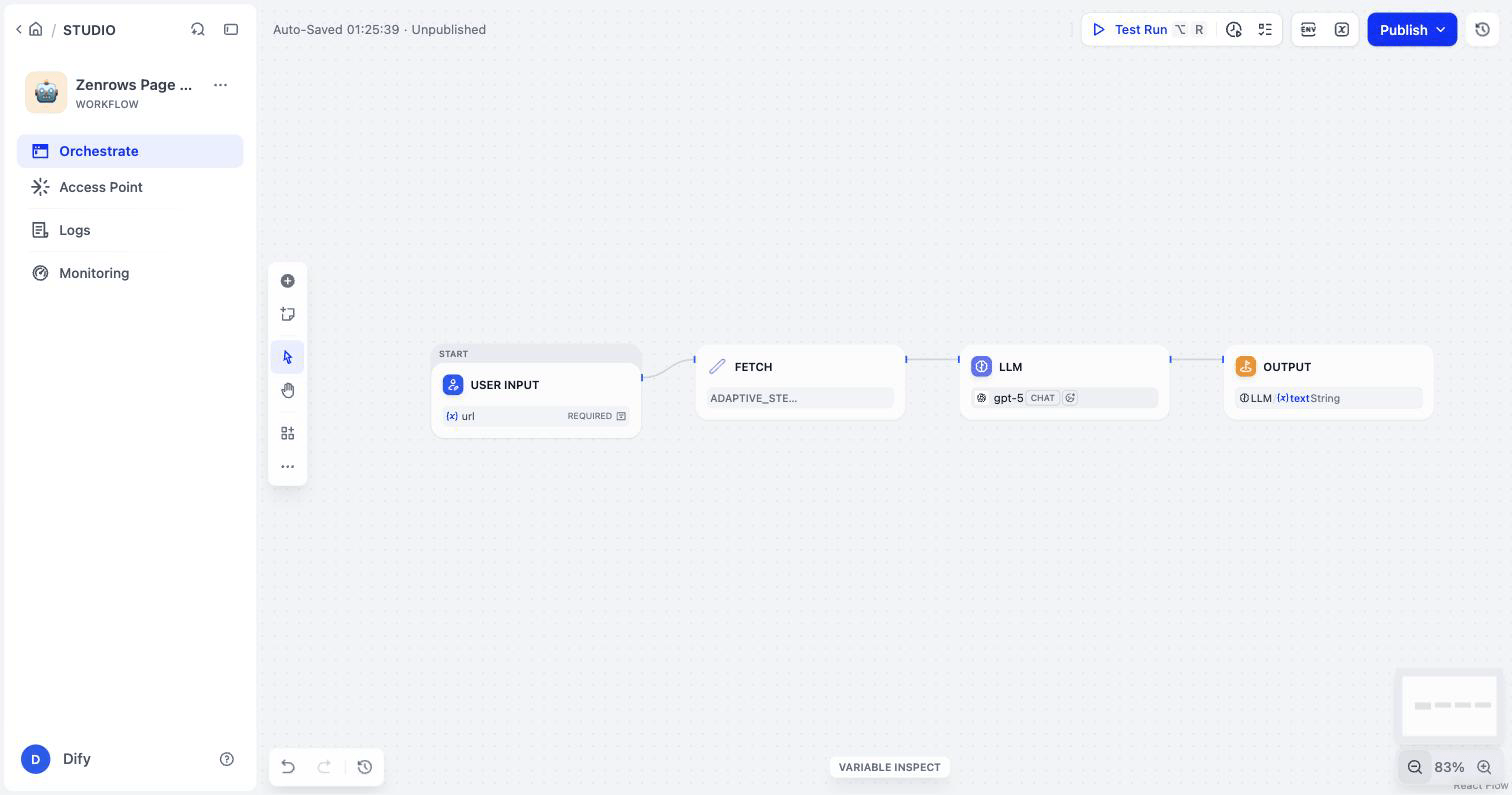
Run it against https://www.scrapingcourse.com/ecommerce/. This is the Markdown Fetch hands the LLM node for that page:
# Shop
Showing 1–16 of 188 results
- [**Abominable Hoodie**
$69.00](https://www.scrapingcourse.com/ecommerce/product/abominable-hoodie/)
- [**Adrienne Trek Jacket**
$57.00](https://www.scrapingcourse.com/ecommerce/product/adrienne-trek-jacket/)
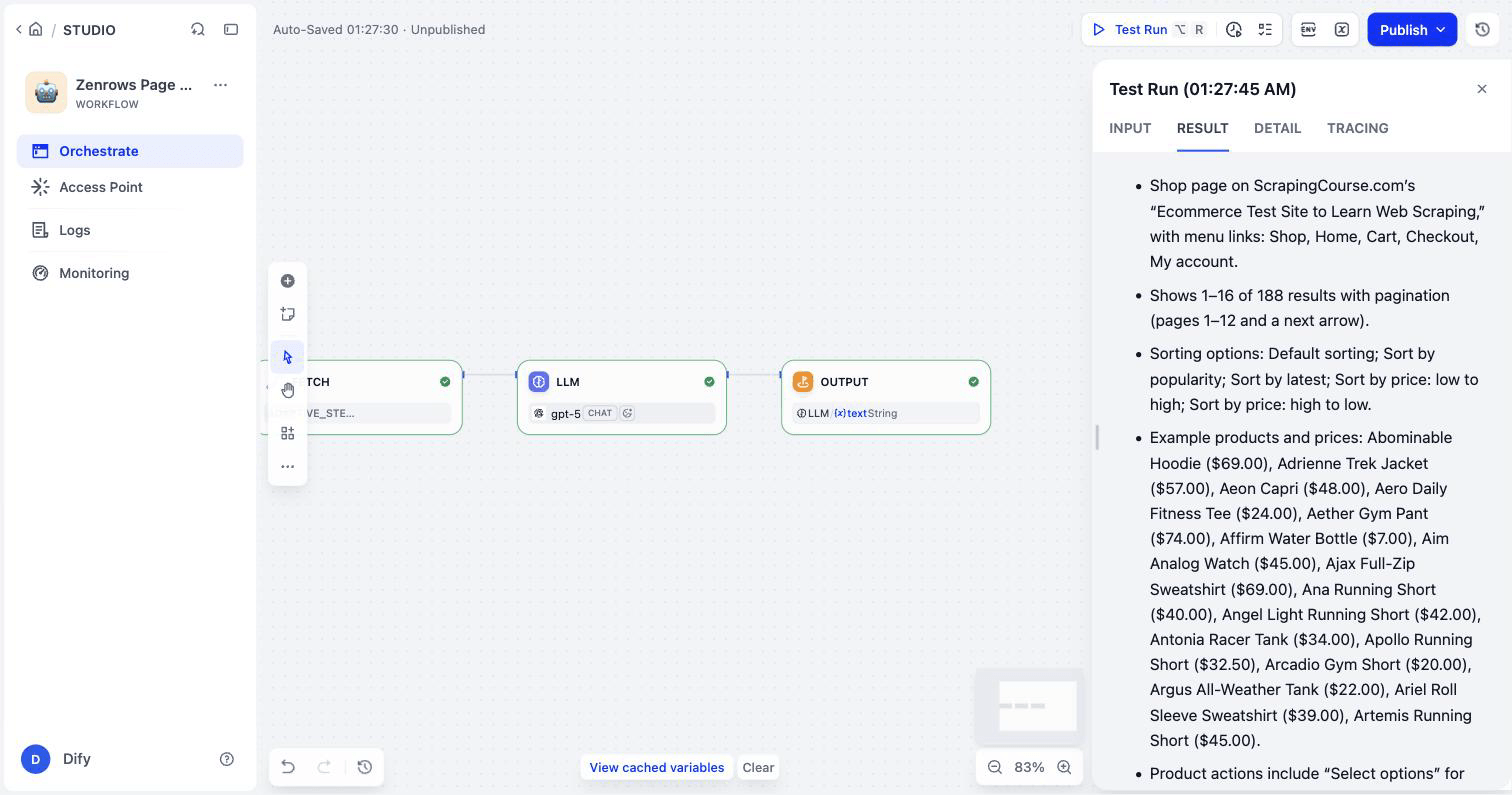
Reference Fetch's text output in the LLM node. The node's output list also shows content, but in plugin version 0.1.0 that is not populated as a variable, and a run that references it fails with Variable ... content# not found. The same fields are inside the json output if you need them.
Run a list of URLs as one job
A Dify tool call cannot run much longer than about 100 seconds, so a large job will not finish inside one call. Chain the Batch tools instead: Batch Create with up to 1,000 URLs, Batch Status on the job_id until finished is true, then Batch Results into the next node. Wait for completion on Batch Create is for small jobs only.
Limits worth knowing
- Self-hosted Dify needs version 1.11.4 or later, and outbound HTTPS to
api.zenrows.comandasync.api.zenrows.com. No inbound connections. - Batch through the plugin takes 1 to 1,000 URLs per job, and Batch Results returns up to 200 results per call.
- Each tool call is billed like the equivalent Zenrows request. The plugin adds nothing on top.
Get started
Install the Zenrows plugin from the Dify Marketplace, add your API key and drop Fetch in front of your LLM node. The Dify integration docs walk through every screen, and the integration page has more workflows to build.