
How to Bypass HTTP Error 429 Too Many Requests When Scraping
Learn the proven tactics to bypass the HTTP 429 Too Many Requests error and scrape any site at scale without limitations.



Does your scraper start with 200 OK responses, then start returning HTTP 429 Too Many Requests once you increase request volume or introduce concurrency? Don’t worry. This is a common error during scraping, and you can fix it.
In this article, we’ll go through what HTTP 429 Too Many Requests is, why it happens during scraping, and how to bypass it.
What Is HTTP Error 429 Too Many Requests?
HTTP 429 Too Many Requests is a client error response that means the server is rate-limiting you.
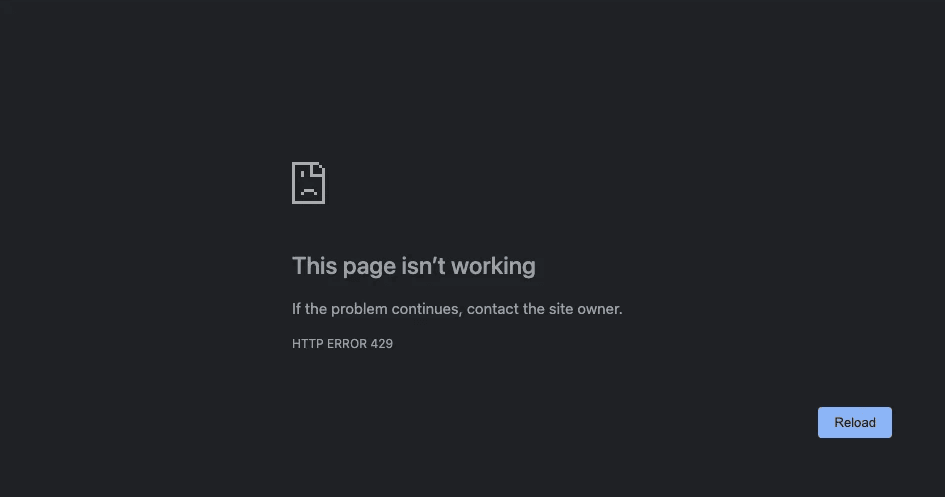
Error 429 indicates that you've sent more requests than the target siteallows within a time window. The main hint to look for is the Retry-After response header. When it’s present, it tells your client when to try again. The value can be a number of seconds to wait, or a full HTTP date. Treat it as the server’s backoff instruction.
Some targets also return quota headers indicating which limit you hit and when the window resets. You might see RateLimit-Limit, RateLimit-Remaining, and RateLimit-Reset. Older APIs often use X-RateLimit-Limit, X-RateLimit-Remaining, and X-RateLimit-Reset.
Why Does HTTP Error 429 Occur When Scraping
HTTP 429 Too Many Requests usually comes from one of these causes.
- Too many requests in a short time window: The target enforces a per-window cap and starts returning error 429 once you exceed it.
- Too many concurrent requests to one site: Some systems cap how many requests you can have open at the same time; if you exceed that, you can hit error 429 even if the average request rate looks low.
- One endpoint has a lower limit than the rest: A site can apply a stricter cap to specific URLs that are expensive to serve, such as search pages, filters, or endpoints that query a database. That is why one request can return a 429 error while other pages still load.
- Retries happen too quickly after failures: If the server tells you to wait, for example, with
Retry-After, and your code retries sooner, the next request lands in the same cooldown period and gets blocked again. If several workers retry simultaneously, their retries bunch together, keeping the limit triggered. - Multiple scraping jobs sharing a single IP address: Many sites enforce per-IP limits. If multiple scraping runs use the same IP, their traffic adds up, so the IP hits the cap sooner than a single run would.
- Session-based request limits: Some targets don’t rate limit by IP. They rate limit by session cookie, so you can start seeing error 429 after a series of requests that all reuse the same session.
Next, let’s see how you can fix HTTP error 429.
Skip the blocks. Try Zenrows free and get clean web data without the anti-bot fight.
Solving HTTP Error 429 When Scraping
You can fix error 429 in two ways. Either automatically bypass it with a web scraping API that handles rate limits and anti-bot checks for you, or manually change how your scraper sends traffic to the target.
Manual tuning works for small scraping runs but doesn’t scale. Each site enforces its own limits, so a single set of delays, concurrency caps, and proxy rules won’t work across targets. Those limits can also change without warning, breaking a scraper that relies on a fixed configuration.
If you’re comfortable with manual tuning, the methods below can help reduce the frequency of 429 errors during scraping.
Related: Bypass Rate Limit While Web Scraping Like a Pro
Method 1. Control Request Rate and Concurrency
Most 429 errors occur when the target receives more requests than it allows within a short period, or when too many requests are running in parallel. Controlling request rate and concurrency is the first step when bypassing error 429, as it directly reduces the load you place on the site.
Start by setting a per-site request rate limit and keeping it stable. Instead of letting workers send requests as fast as possible, cap how many requests you send per second or per minute to each domain. This simple throttle prevents request spikes that exceed the site's limit window.
Alongside rate limiting, add a concurrency cap for each site. Use a request queue to control how many concurrent requests you send to each target. This prevents large batches of parallel requests from hitting the same site and triggering a 429 error.
You should also add jitter (a small random delay between requests), so requests do not arrive at fixed intervals. This makes your traffic pattern less predictable to the target. Finally, apply stricter rate and concurrency limits to endpoints that trigger error 429 first, such as search or filtered listing pages, while keeping slightly looser limits for less restrictive pages.
Method 2. Monitor Rate Limit Headers To Time Requests
When a site returns error 429, it often includes response headers that tell you how to slow down. Instead of guessing how long to sleep, read those headers and time your next request based on the response.
If the response includes a Retry-After header, wait slightly longer than that value before sending additional requests to that target, and randomize the delay on subsequent retries so a pattern is not detected. The value is usually a number of seconds, but it can also be a full HTTP date. Treat it as the minimum time your scraper should pause before retrying the request.
If the response also includes rate limit headers such as RateLimit-Limit, RateLimit-Remaining, and RateLimit-Reset or X-RateLimit-* fields, use them as a real-time counter. When RateLimit-Remaining is low but not zero, throttle new requests to avoid hitting the cap. When it reaches zero, stop sending new requests and wait until the reset time from RateLimit-Reset has elapsed before resuming.
Here is an example 429 response with rate limit headers:
HTTP/1.1 429 Too Many Requests
Content-Type: application/json
Retry-After: 60
RateLimit-Limit: 100
RateLimit-Remaining: 0
RateLimit-Reset: 60

{"message": "Rate limit exceeded. Please retry later."}
In your scraper, record the wait times and reset times for each site and, when needed, for each endpoint, then make all workers use those shared values.
Method 3. Use Proxy Rotation When the Limit Is Per IP
Many sites attach rate limits to the client IP address. If all your scraping traffic goes through a single IP, that IP can hit the rate limit and start returning error 429, even if your request rate appears moderate. To bypass per-ip rate limiting, you need to use Proxy rotation. It helps distribute requests across multiple IPs so each stays below the per-IP threshold, preventing overloading a single address.
Also, ensure you use premium residential proxies, not free shared ones. Low-reputation proxies can still cause repeated 429 errors and blocks because each IP has a low trust score and is already known to anti-bot measures. To maximize request success rates, choose proxy services that support geo-targeting so you can match the country or region the site expects and avoid location-based throttling.
That said, proxy rotation reduces how often a single IP address hits the limit, but it does not eliminate the need to control the request rate. If you send too many requests overall, you can still exceed the per-IP rate limit in the pool and receive a 429 response. So, even when rotating IPs, keep throttling and concurrency limits in place.
Method 4. Rotate Fingerprints For When Identity Triggers Limits
You can still get 429 errors even after reducing your request rate, limiting concurrent requests, and rotating IPs with proxies. Some targets use browser fingerprints alongside IP and rate limits, so they tighten limits on clients that send unusual headers or expose traces of automation in the browser.
Start with the simple fixes. Replace default identifiers like python-requests with real browser User-Agent strings and build matching header sets for each one. Accept, Accept-Language, Accept-Encoding, and related headers should match that browser and platform.
Also, assign one complete profile per worker or session and rotate between a small pool of these profiles over time. A tool like BrowserForge can generate full, realistic header and fingerprint profiles for you, so you are not guessing each field.
Changing the request headers is helpful, but it does not fully spoof fingerprints. Many anti-bot systems also run JavaScript and inspect properties such as navigator.webdriver, feature support, time zone, screen size, graphics output, and more.
When error 429 persists even after you fix the request rate, IPs, and headers, you likely need to patch your scraper's fingerprint. Stealth tools can help you spoof realistic browser fingerprints. They patch standard automation headless browsers like Selenium, Playwright, or Puppeteer by adjusting JavaScript values and low-level signals so the automated browser more closely resembles a normal browser installation.
Some effective stealth tools include SeleniumBase with Undetected ChromeDriver, Puppeteer Stealth, Playwright Stealth, and Firefox-based stealth browsers such as Camoufox.
If the target ties limits to a session cookie, keep the entire identity consistent for the duration of that session. Use the same User-Agent, header set, and stealth profile for the lifetime of that session, then rotate between several separate sessions instead of changing identity on every request. That keeps each session consistent from the site’s point of view while still spreading traffic and limits across multiple distinct identities.
Bypass HTTP Error 429 Completely With A Web Scraping API
Manually tuning delays, concurrency, proxies, headers, and fingerprints for every target works for small runs. However, this manual setup typically fails when you try to scale scraping or increase concurrency. This is because target sites can change their rate limits and anti-bot rules without warning. When that happens, a scraper that used to work starts failing unexpectedly, and you spend more time debugging than collecting data.
For large-scale scraping, it is better to offload this work to a web scraping API such as Zenrows Fetch. Zenrows exposes a single endpoint that bundles premium IP rotation with geotargeting, JavaScript rendering, and automatic retries. You send the target URL to the API, and it handles rate limits, anti-bot checks, and transient failures behind the scenes.
Let's see how Zenrows handles a protected website, such as the Antibot challenge page.
Sign up for Zenrows, open the Request Builder, and paste your target URL into the URL field. Then enable Adaptive Stealth Mode.
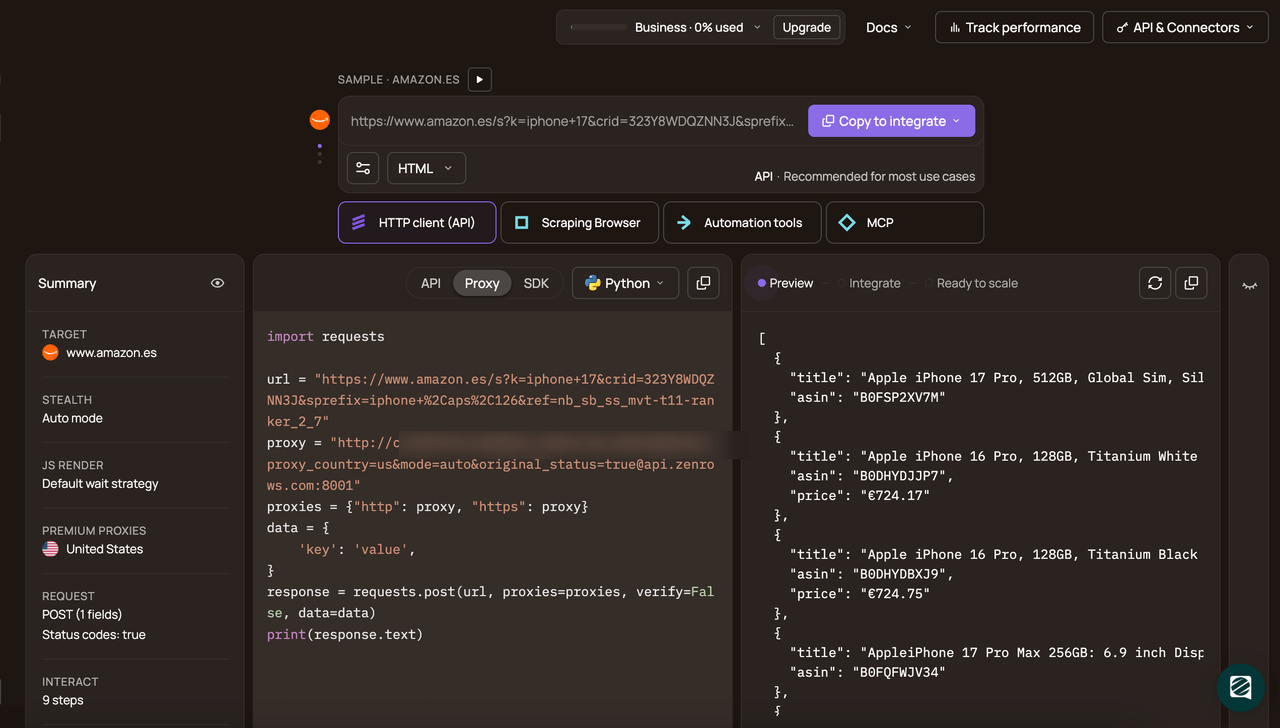
In the code panel, pick your language (Python in this case), select API as the connection mode, and copy the generated snippet.
Here is the generated Python code:
# pip install requests
import requests

url = "https://www.scrapingcourse.com/antibot-challenge/"
apikey = "<YOUR_ZENROWS_API_KEY>"

params = {
    "url": url,
    "apikey": apikey,
    "mode": "auto",
}

response = requests.get("https://api.zenrows.com/v1/", params=params)
print(response.text)
When you run the code, Fetch returns this output:
<html lang="en">
<head>
  <!-- ... -->
  <title>Antibot Challenge - ScrapingCourse.com</title>
  <!-- ... -->
</head>
<body>
  <!-- ... -->
  <h2>
    You bypassed the Antibot challenge! :D
  </h2>
  <!-- other content omitted for brevity -->
</body>
</html>
Congratulations 🎉 You’ve bypassed the anti-bot checks. No more rate limiting that triggers an HTTP 429 error.
Conclusion
In this article, you’ve learned what HTTP error 429 means, why it appears during scraping, and how to deal with it by controlling request rate, limiting concurrency, honoring rate limit headers, rotating proxies when limits are per IP, and fixing header and fingerprint issues that trigger stricter rules.
For ongoing or large-scale scraping, a web scraping API like Zenrows Fetch is usually the more stable option. It automatically handles rate limits and other anti-bot checks for you, eliminating the need to build and maintain your own scraping infrastructure.
Try Zenrows for free now or speak with sales!
FAQ
Is HTTP error 429 a block or only a temporary limit?
HTTP error 429 is a temporary limit, not a permanent ban. It means the target received more requests from your client than it allows in a time window and is asking you to slow down. If you continue to send traffic at the same rate and ignore the limit, some sites may escalate to stronger measures, such as IP bans or additional anti-bot checks.
How long does HTTP error 429 last, and what does Retry-After mean?
How long error 429 lasts depends on the site’s rate limit window. Some limits reset after a few seconds, others after minutes or longer. When the response includes a Retry-After header, it indicates how long to wait before sending additional requests.
How can you tell whether HTTP error 429 is per IP or per session?
Start by changing one variable at a time. If error 429 disappears when you switch IP but reuse the same cookies, the limit is probably per IP. If it disappears when you start a new browser session or clear cookies while keeping the same IP, the limit is likely session-based.
What is the best way to bypass HTTP error 429 when scraping at scale?
At scale, the most reliable way to bypass HTTP error 429 is to use a web scraping API. Manual changes to request rate, concurrency, proxies, headers, and fingerprints can work on a few sites, but they are hard to maintain across many targets with different and changing rules. A web scraping API handles rate limits, IP rotation, browser fingerprinting, and retries for you, so you can focus on URLs and extraction logic instead of tuning per-site limits.